My family loves skiing, and we are going on a skiing vacation later this year to Whistler-Blackcomb. This is a ski mountain in British Columbia, known for having an insane amount of skiiable terrain. My excitement for this comes in the form of cartography.
The existing ski map
When it comes to cartography of ski maps, no one knows better than James Niehues. He is the creator of practically every ski map that you see given out by the mountains. His unified style is a great blend of visuals and function, and they are a true icon of the skiing world.
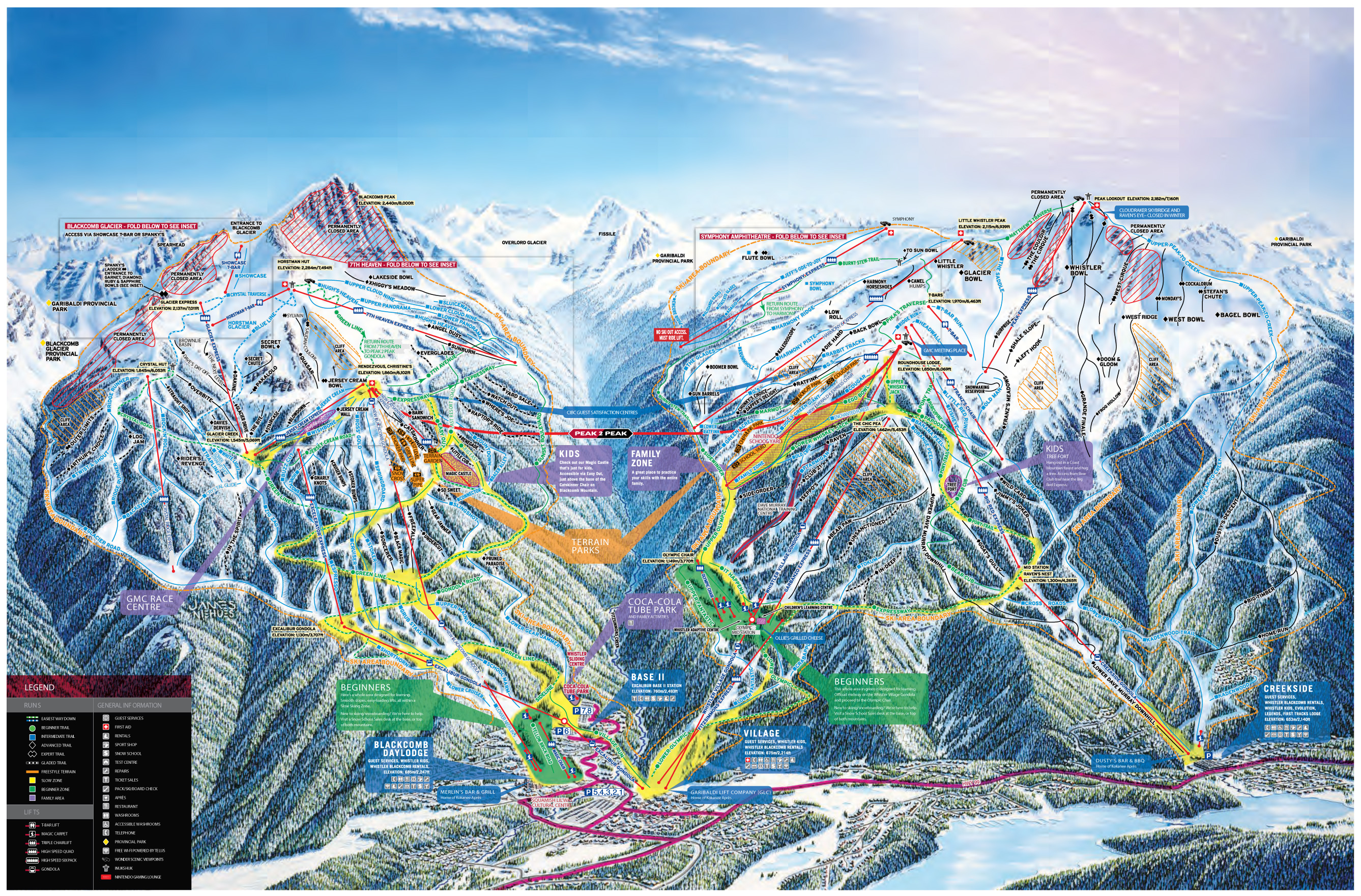
As much as I love Niehues’s work, this map isn’t my favorite. I can’t really blame him, as there is just so much to show on this map, that it struggles at its ability to be a useful display of information. Some of this is probably the mountain’s fault, as all of the text blurbs, the roads, and arguably some of the “permanently closed” areas are quite unnecessary. However, the other main problem with this map is the inconsistency regarding the density of courses on the map. Lets use the area around the New Jersey Cream Express as an example:

This area does show which courses are in the area, but it fails to show exactly where those course actually are. This is because the face of this part of the mountain is facing the wrong direction, so from the direction of the “camera” here, these runs are essentially on top of each other
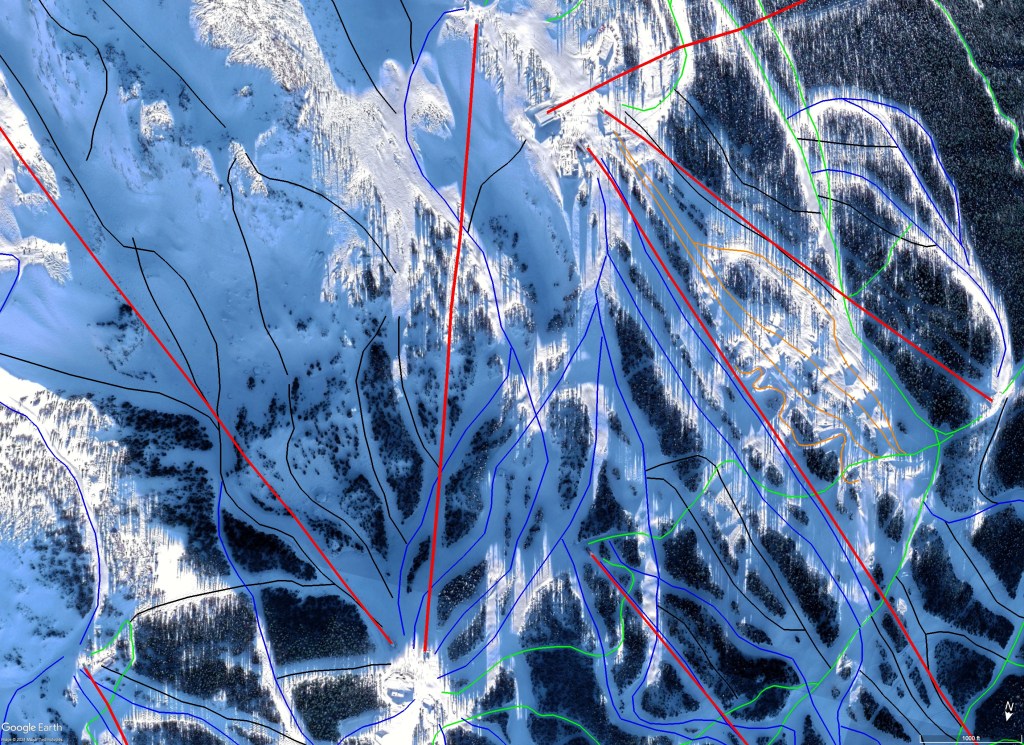
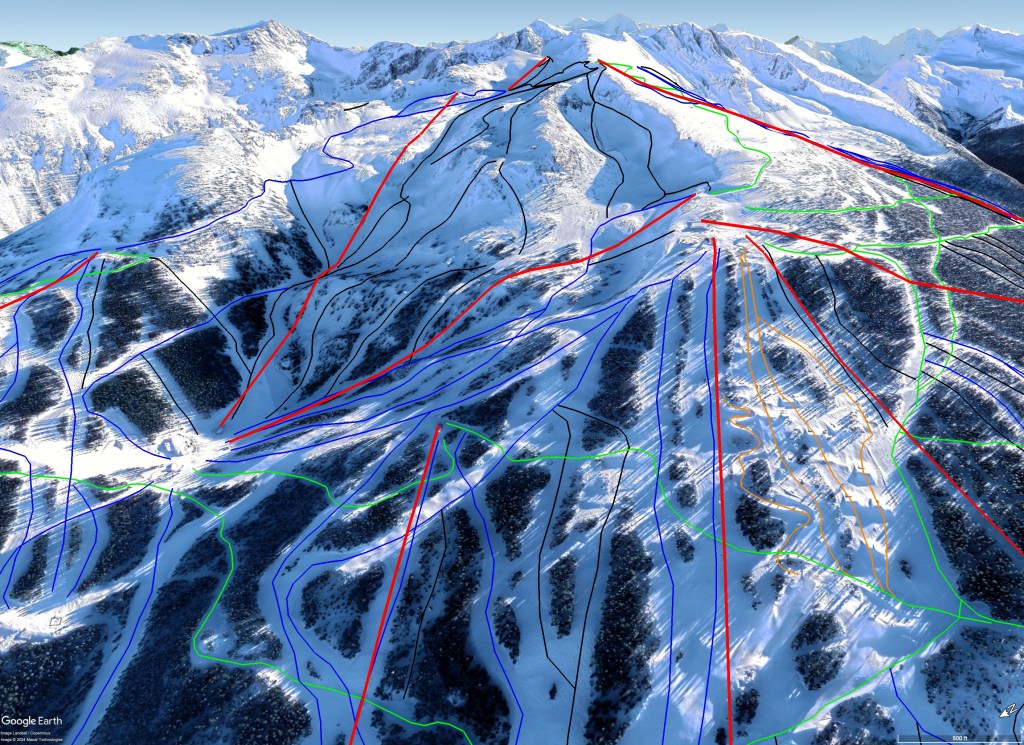
I think this is an unsolvable problem. For the sections of the mountain that are truly unviewable from the given angle, there are additional angles provided in other parts of the ski map, however, this makes the map a lot harder to use. I think the true solution for mountains like this is that they need the ability to view the mountain in 3D. In the past that was essentially impossible to make mass market, but since everyone has a smart phone in their pocket, this is something that is totally possible.
What I made
I created a detailed 3D map of Whistler-Blackcomb using Google Earth. I had two goals when creating this. The main goal was to just get an understanding of the mountain. I’ve never been there and I wanted to make the most of my time there, so this would make me go through essentially every run on the mountain. However, as I was mapping out the runs on the mountain, I ran into the issues listed above. I originally attributed this to poor mapmaking, as while the maps that Niehues makes are usually very good, its possible that as the mountain expanded they may have made additions to the map themselves, and who knows if this was done well.
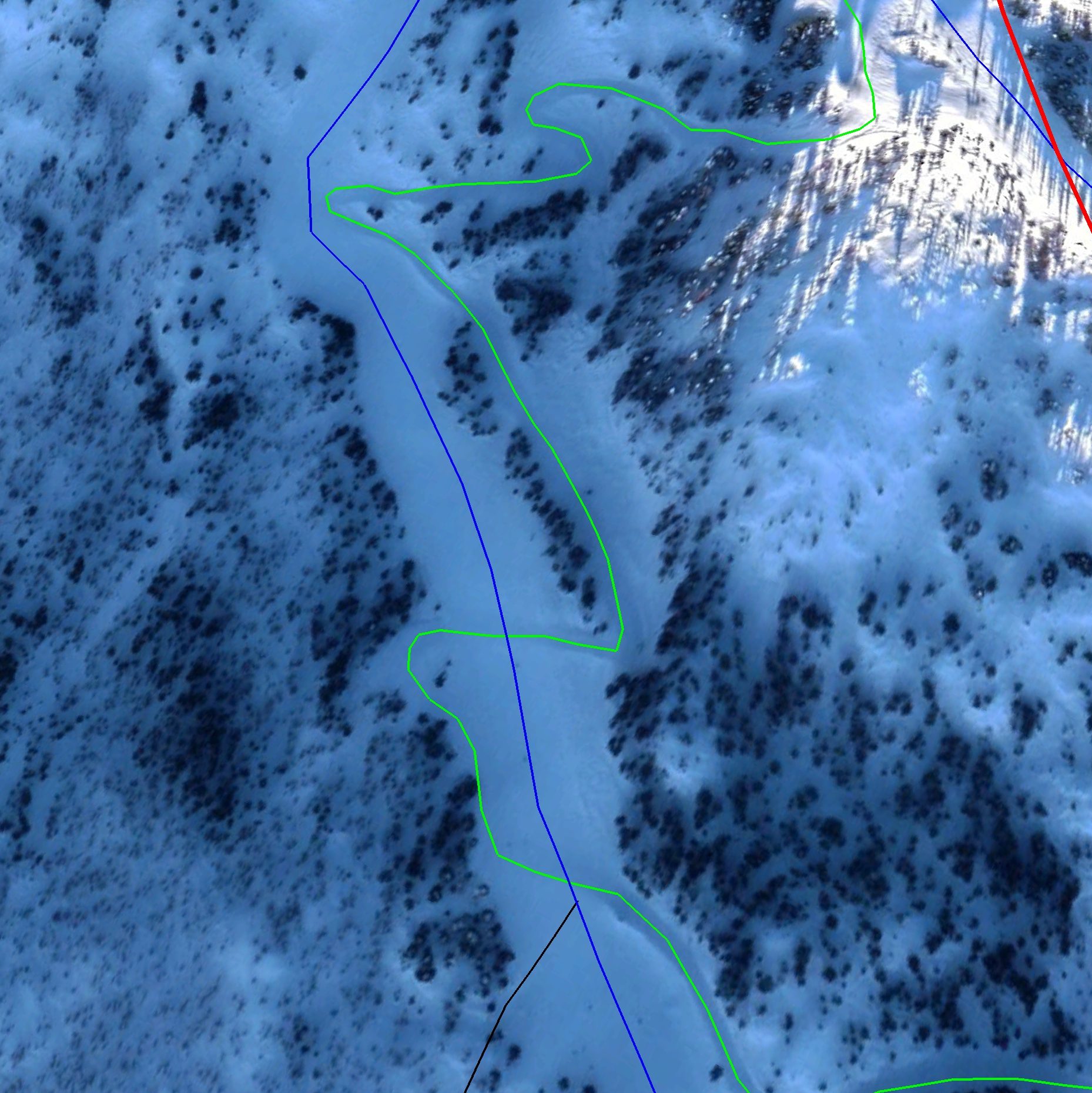
However as I kept creating the map, I realized how displaying some of this information in the map format is simply impossible. That’s when I made the discoveries outlined above. But I also realized how much a map like mine would be able to solve this problem. By allowing a user to move around, we can see the true nature of the mountain, not just from one angle. I have an interesting vision on what this could look like, but first lets see what I made.
Using the 3D terrain of Google Earth, plus the ability to place things on the map, we get a much better ability to see where everything is. I think this could make a great tool for anyone who is new to the mountain, as this can give them a much better idea of where runs are, how steep they are, and how exactly to get there. These concepts are implied on most 2D ski maps, but there’s only so much that is possible there.
If you are interested in looking at the map itself, you can view it here. If you would like to edit it to improve it or change it, you can download it as a KML file to use in Google Earth Pro, or upload it to the web version of Google Earth. For the best experience, I recommend viewing with historic imagery from 1/19 because it will have snow coverage on the whole mountain. As with anything I produce, it is covered by the CC BY-NC-SA 4.0 license. More info about all my downloads here.
How could a mountain do this
Google Earth is not the best place to implement this if mountains were to create something like this for consumers. I would imagine a low-poly 3D rendering of the mountain could be used in an app, where users could rotate the mountain and zoom in. I think it should keep the style of Niehus’ maps, but placed on the 3D map. I unfortunately don’t have the modelling skills to mock this up, but I would love to see something like this for big mountains like Whistler-Blackcomb that need it!
 David Rosenstein's Blog
Leave a comment